
Skip to content
AnnouncementInitial release: self-hosted on Ubuntu 24.04 and 26.04 LTS. More platforms planned; Cloud and managed services are outside this release.First release: self-hosted on Ubuntu LTS.Release status
Register Cloud interest

How does BranchRunner run in a self-hosted environment?

This reference architecture describes the published self-hosted operating model for BranchRunner’s coding-agent orchestration: what runs where, the ports and protocols involved, how work is scheduled, and what happens when a component fails. It is a reference, not a release-ready installation guide.

PlanesTopologySchedulingData modelFailure behaviourScaling

Three planes, one boundary that matters

The control plane decides and records. Runtime workers execute. External providers are reached deliberately, per run, under credentials you supply. Code and prompt context only cross that last boundary when a session sends them.
Control plane
Web application and APIHTTPS · your ingress
Task, run and requirement storePostgreSQL 15+
Scheduler and worker registry
Workflow, policy and budget engine
Audit log and evidence storeObject storage or volume
Stateless application processes. No repository checkout, no agent process.
Runtime worker
Worker agentOutbound WebSocket to the control plane
Local repository mirrorOne bare clone per repository
Git worktreesOne per session, plus a merge worktree
Docker Compose workspaceServices, preview, seeded data
Agent processes and MCP clients
Egress allowlist and secret injection
Everything a run actually executes happens here.
External
Git providerFetch, push, pull requests only
Issue providerImport and status updates
Model providersPer session, your credentials
MCP serversScoped per role and workflow
Notification targets
Every path is allowlisted and logged.
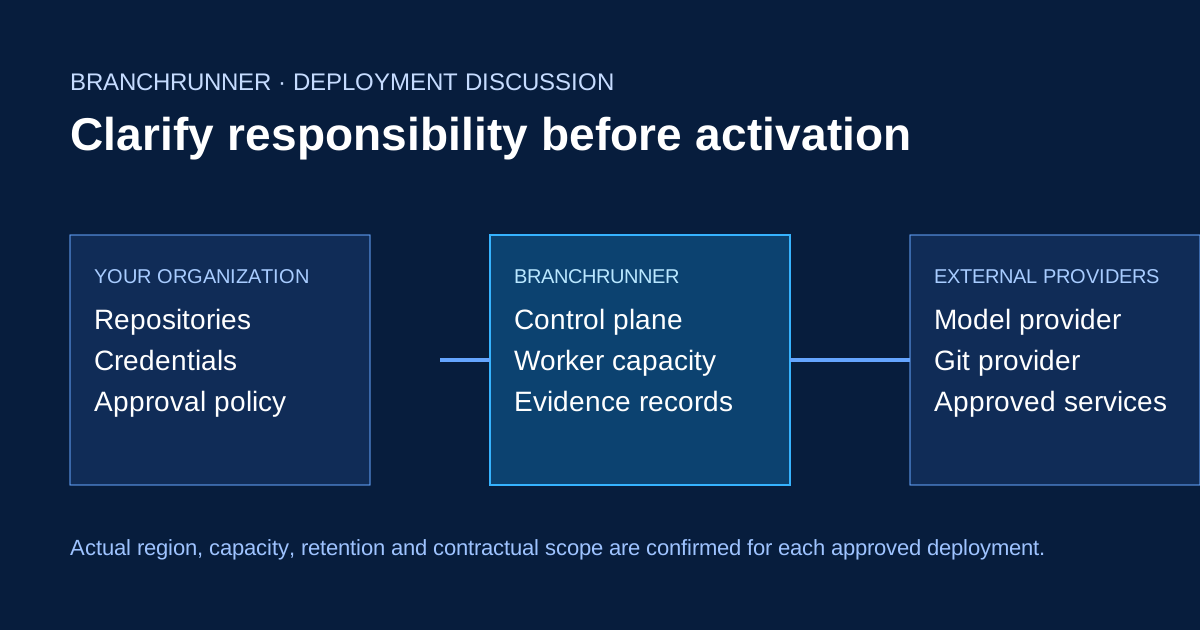
Diagram showing the organization, BranchRunner control plane, workers, and external providers in the reference deployment model.
Reference architecture diagram. Exact regions, networking, retention, and deployment scope must be verified for an actual evaluation.

What does the reference architecture describe?

It describes the intended self-hosted control plane, runtime worker, workspace and external-provider boundaries. It is a reference model, not a production installation guide.

Where do coding agents execute?

The published model places execution in isolated workspaces on runtime workers rather than on the control plane.

What data boundaries should we evaluate?

Evaluate repository access, credentials, provider context, workspace egress, evidence retention and operator responsibilities for your environment.

Can we deploy it today?

No released artifact, supported-host matrix, or tested quickstart is published here. Do not treat the reference architecture as a deployment instruction.

What happens when a run fails?

The intended model retains task context and evidence for review; exact retention and recovery scope must be confirmed for a proposed deployment.

Ports, protocols and directions

Workers need no inbound ports. Every worker-to-control-plane connection is outbound, which is what makes on-premise and private-network workers straightforward.

Path
Direction
Protocol
Notes
Browser to control plane
Inbound
HTTPS 443
The only inbound path you have to expose
Worker to control plane
Outbound
WSS 443
Job dispatch, status, evidence upload. No inbound ports on workers
Control plane to database
Internal
TCP 5432
PostgreSQL 15 or newer
Worker to Git provider
Outbound
HTTPS 443
Mirror updates, push, pull requests. Credentials scoped per repository
Worker to model provider
Outbound
HTTPS 443
Per session, under your credentials. Allowlisted per environment
Worker to MCP servers
Outbound
HTTPS or stdio
Scoped per role and workflow; destructive calls can require approval
Workspace to anywhere else
Denied
—
Egress is denied unless the environment allowlists it

Scheduling and reservation

A run is matched to a worker once and holds that slot for its whole life, including while it waits for a person. This keeps the workspace warm and the reproduction available, at the cost of occupied capacity.

Match
Required labels, then free slots, then least loaded
Labels
region · network-zone · gpu · repo-mirror
Reservation
Held across waiting, review and approval
Parallel sessions
Share the run's worker; each gets its own worktree
Queueing
FIFO per queue, with concurrency caps per repository
Drain
A worker stops accepting work and finishes what it holds

Workspace lifecycle

ReserveThe scheduler matches labels and takes a concurrency slot on a worker.
CreateA worktree is cut from the local mirror; no provider round trip is needed.
StartThe Compose environment starts, health checks run, the preview becomes reachable.
ExecuteSessions read, write and run commands inside the workspace only.
ExportDiffs, check output, logs and preview results are uploaded as evidence.
ReleaseContainers, volumes and the worktree are removed on the retention policy; failed runs are kept.
Disk is the practical limit on a worker: one mirror per repository, plus one worktree and container set per concurrent run.

Data model and retention

Four objects, one audit stream. Everything the platform shows hangs off one of these, and each has its own retention rule.

Task

Objective, requirements ledger, conversation, owner, source reference.

Store
Database
Retention
Until deleted
Run

Plan, steps, approvals, budget consumption, outcome, audit events.

Store
Database
Retention
Policy, per edition
Workspace

Worktree, containers, volumes, preview URL, egress rules.

Store
Worker disk
Retention
Hours to days
Agent session

Role, provider, permissions, steps, tool calls, tokens and spend.

Store
Database
Retention
With its run
Evidence

Diffs, check output, preview results, exported logs, approval records.

Store
Object storage
Retention
Configurable
Audit stream

Approvals, tool calls, secret reveals, policy decisions, config changes.

Store
Append-only
Retention
Long-term, exportable

What happens when something fails

FailedA worker disappears mid-run

The run is marked failed with everything exported so far. The task is intact and the next attempt can start on another worker.

WaitingThe control plane restarts

Workers reconnect and resume reporting. Running sessions continue; nothing is lost because state lives in the database.

FailedThe environment never becomes healthy

The run stops before implementation, keeps the container logs, and names the service and port that failed.

BlockedA provider rate-limits or errors

The session retries with backoff, then raises an attention request rather than silently degrading to a worse model.

StoppedA hard budget limit is reached

The run ends, the diff and evidence so far are retained, and the owner is notified with the remaining requirements.

ChangesReview rejects the handoff

The run returns to implementation with the finding attached, keeping its plan, workspace and history.

Scaling and sizing

Concurrency is the unit you buy hardware for. A run occupies one slot from provisioning to approval, so review latency shows up as capacity cost.

Control plane
Scales horizontally; the database is the state
Workers
Add machines; 2 to 6 concurrent runs each is typical
Disk
Mirror size plus one worktree and image set per slot
Database
Grows with runs and audit events, not with code
Evidence
Grows with retention; object storage is cheapest
Bottleneck
Usually human review, then worker disk

High availability

Control plane

Run several application instances behind your load balancer, with a managed or replicated database. Losing an instance does not stop a run.

Workers

Capacity is redundant by count. Runs on a lost worker fail with their evidence and are retried on another.

Backups

The database and evidence store are what you back up. Workspaces are disposable by design and are not part of recovery.

Share future architecture requirements

Register interest in future organizational deployment options and tell us which worker, network and retention constraints matter.

Register Enterprise interestRun it yourself