
Coding-agent orchestration from task to validated pull request
BranchRunner is coding-agent orchestration software for engineering organizations. It holds the objective, provisions isolated workspaces, coordinates agents, records validation evidence, and routes work through human approval. It is not a coding model or IDE assistant.
Four objects, used consistently
The product model is small on purpose. Everything the platform shows you — cost, evidence, approvals, audit history — hangs off one of these four.
The objective, its requirements and the human conversation. It outlives every attempt made against it.
One execution of the task. A failed run keeps its logs and evidence; the next attempt starts from what was learned.
The Git worktree and Docker environment a run executes in, on a runtime worker rather than the control plane.
A primary or specialist agent taking part in a run, with its own role, provider, permissions and cost.
The objective and the work in one view
Requirements on the left, the live run in the middle, the inspector on the right. Nothing about the task lives in a chat window that closes.
A primary agent that delegates, and specialists that can work at the same time
The primary session owns the plan. Specialist sessions take steps from it, each with its own role, provider and permissions. When two of them touch the codebase at once, they do it in separate worktrees and integrate in a merge workspace.
- PlannerPrimary · owns the planCompleted
- Implementerworker-2 · worktree a · 48.2k tokensRunning
- Implementeralerting · worktree b · 31.7k tokensCompleted
- Reviewermerge workspace · no shared contextQueued
- Oversightintegration and handoffQueued
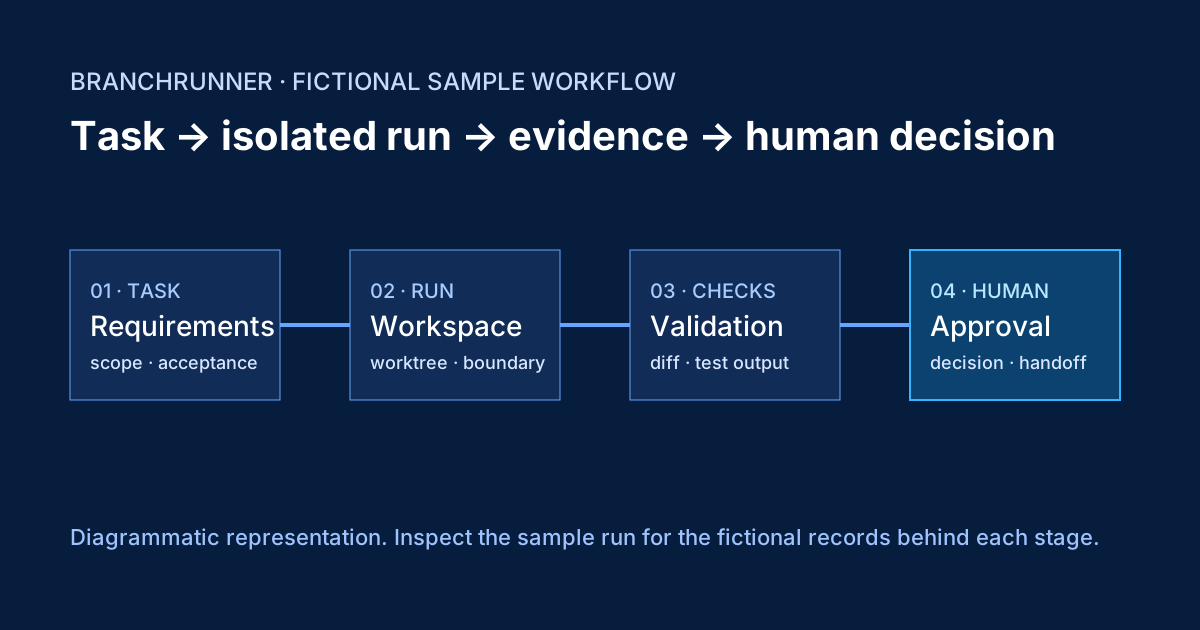
Every run gets its own Git worktree and container set
Runtime workers hold a local mirror of the repository, so a new worktree does not need to authenticate to your Git provider. Provider credentials are used only for remote fetch, push and pull-request operations.
Approval is a workflow state, not a notification
A run that needs a person stops and says so. The decision is recorded against the run, with the evidence that informed it and the identity of whoever made it.
Reply in the task to correct an assumption, pause the run, or cancel it and keep the workspace for inspection.
Destructive tool use, external deployment and handoff between stages can each require a named person.
Soft thresholds warn the owner. Hard limits end the run and preserve everything produced so far.
Every approval, tool call, secret reveal and policy decision is an event on the run, exportable for review.
Claims are separated from proof
Checks attach to the requirement they satisfy. An agent's statement that something works is labelled as agent-reported until a test, a preview or a reviewer says otherwise.
Integrations directory
Filter by what an integration does. Status reflects the launch release: planned integrations are listed so you can see the direction, and cannot be installed.
Repository access, branch and pull-request delivery, issue import.
Repository access and merge-request delivery. Issue import in progress.
Import work items as tasks and keep Linear authoritative for status.
Planner, implementer or reviewer sessions under your own credentials.
Planner, implementer or reviewer sessions under your own credentials.
Planner, implementer or reviewer sessions under your own credentials.
Planner, implementer or reviewer sessions under your own credentials.
OpenAI-compatible endpoints for local or private model serving.
Workspace containers and preview services on ordinary Docker hosts.
Per-repository environment definitions, including preview URLs.
Additional labelled workers with their own concurrency limits.
Attach MCP tools per workflow, with per-role permission scoping.
Read-only queries by default; write access requires approval.
Drive a preview environment for smoke tests and screenshots.
Store references, inject values at run time, log every reveal.
Resolve references from your existing vault at run time.
Sign in through the identity provider configured for the deployment.
Run lifecycle, attention requests and completion events.
Attention requests and approvals routed to a channel.
Run duration, cost and outcome series for your own dashboards.
Provider names are used descriptively. Logos appear only where trademark use is permitted.
What is BranchRunner?
BranchRunner is coding-agent orchestration software for engineering organizations. It connects task scope, isolated workspaces, validation, approval and evidence around coding-agent work.
How is it different from a coding agent?
A coding agent performs work in a session. BranchRunner is the operational layer that coordinates multiple sessions, workspace boundaries, policies, checks and human decisions.
Can it run in our environment?
The initial release targets self-hosted Ubuntu 24.04 and 26.04 LTS. Cloud and Enterprise are future offerings and are not assessed for activation today.
Which controls are visible?
The product model shows requirements, run state, workspace context, validation results, approval decisions and audit evidence. Availability of deployment-specific controls is confirmed in scope.
What should we inspect first?
Start with the fictional sample run, architecture and evaluation scorecard. They are ungated and distinguish example records from verified customer evidence.
Deployment and operational responsibility
The initial release is self-hosted. Cloud and Enterprise show possible future operating models and are not current editions.
Air-gapped deployment, dedicated topology, custom regions, provider access, and offline updates are future Enterprise direction and are not currently offered.
Security and governance, in short
Agents run in workspaces on runtime workers, never on the control plane.
Values are injected at run time. Reveal and copy are logged; deletion lists affected workflows.
Which provider receives which context is visible per session, under your credentials.
Roles scope what a session may read, write and execute. Escalation requires a person.
Network access from a workspace is allowlisted per environment and per run.
Runs, approvals and evidence are retained on a policy you set, and can be exported.
Review the self-managed operating model before a released artifact and license are available.
A managed control plane and workers are future product direction, not a current service offer.
Future policy, identity and retention capabilities under consideration.